**Disclaimer:** นี่คือโปรเจกต์ทดลองเล่นของทีมงานของเรา ในการใช้ AI tools วิเคราะห์ข้อมูลการเลือกตั้ง โดยเราทดลองกับข้อมูลการเลือกตั้งของปี 2566 ก่อนที่ผลเลือกตั้งปี 2569 จะออก
การทดลองนี้ไม่ได้มีเจตนาจะทำนายหรือชี้นำผลการเลือกตั้ง
This is an experiment. We used AI tools to dig into Thailand's 2566 election data, in preparation for the coming 2569 election. This isn't intended to predict or influence any election outcome—it's about what the data is actually telling us.

46.5% เลือกสส. เขต กับสส. บัญชีรายชื่อ จากคนละพรรค
โดยประมาณ 70% ของเขตในภาคใต้ คะแนนพรรคที่อันดับ 1 ในสส.เขต กับ บัญชีรายชื่อ เป็นคนละพรรคกัน แต่คนกรุงเทพเลือกเขตกับพรรคเหมือนกัน
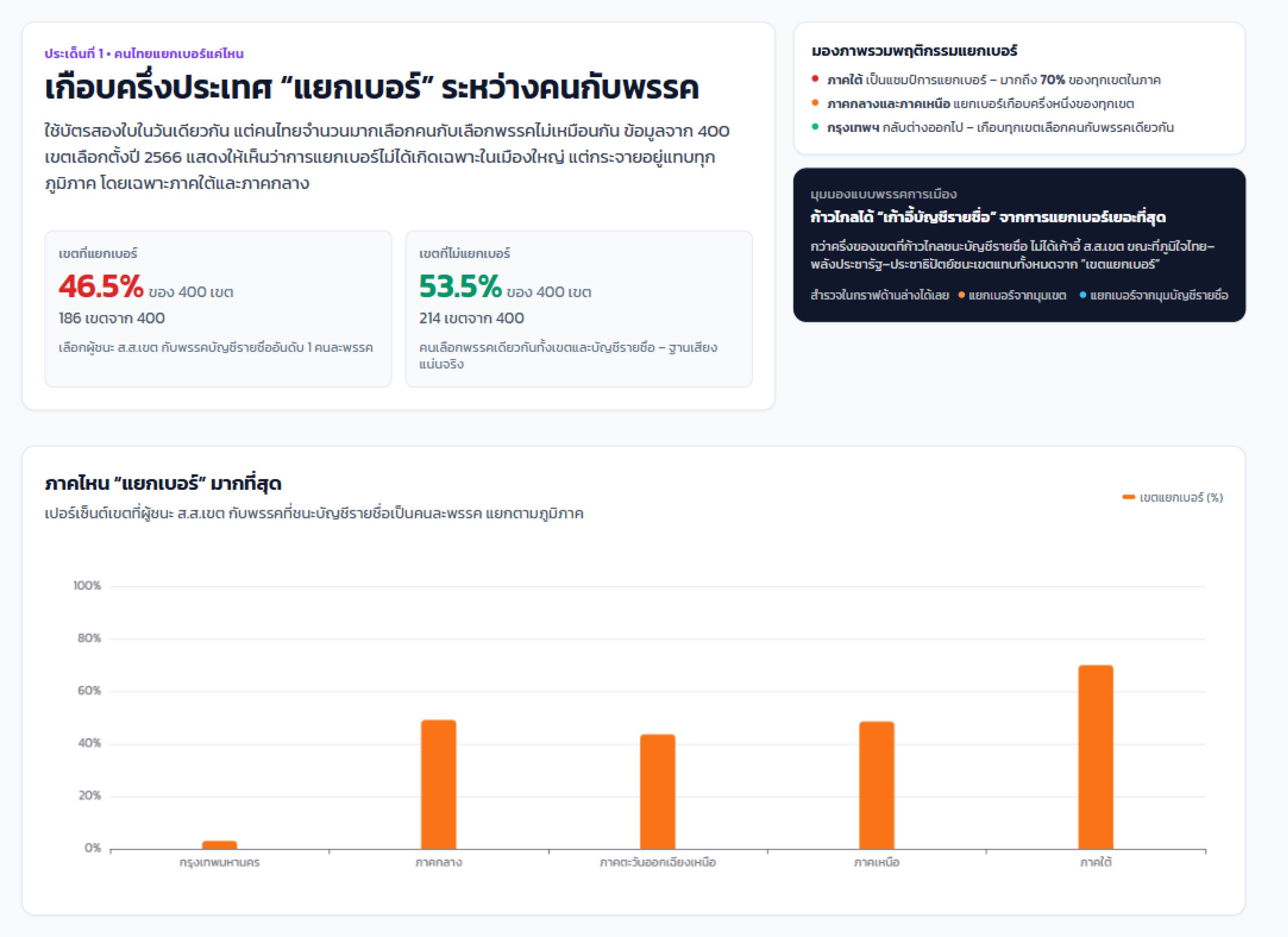
ใครชนะเขต แต่แพ้บัญชีรายชื่อ
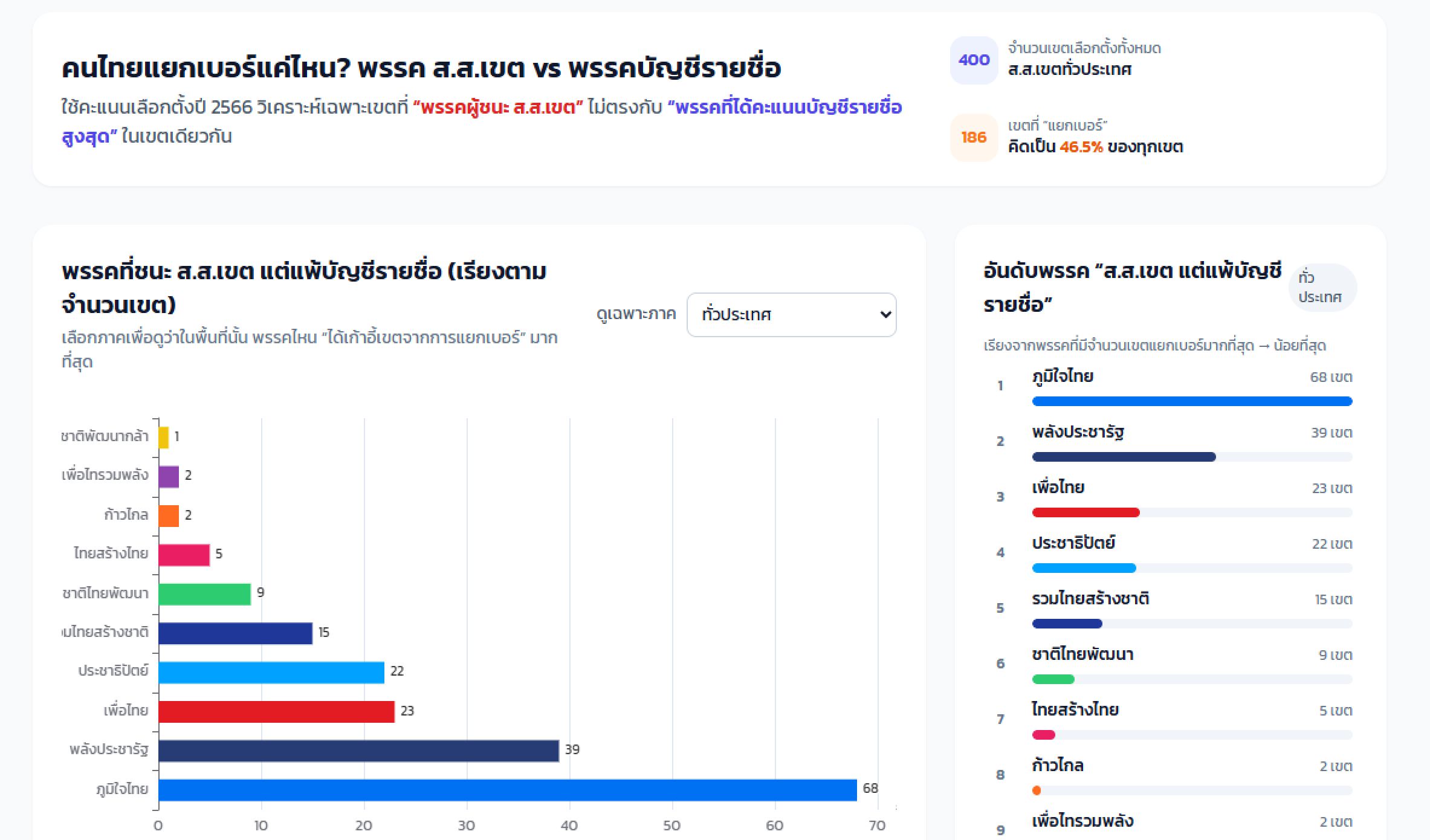
พรรคภูมิใจไทยมีจำนวนเขตที่ชนะสส.เขต แต่แพ้คะแนนเสียงบัญชีรายชื่อถึง 68 เขต
ตามมาด้วยพรรคพลังประชารัฐที่จำนวน 39 เขต และพรรคเพื่อไทยที่จำนวน 23 เขต
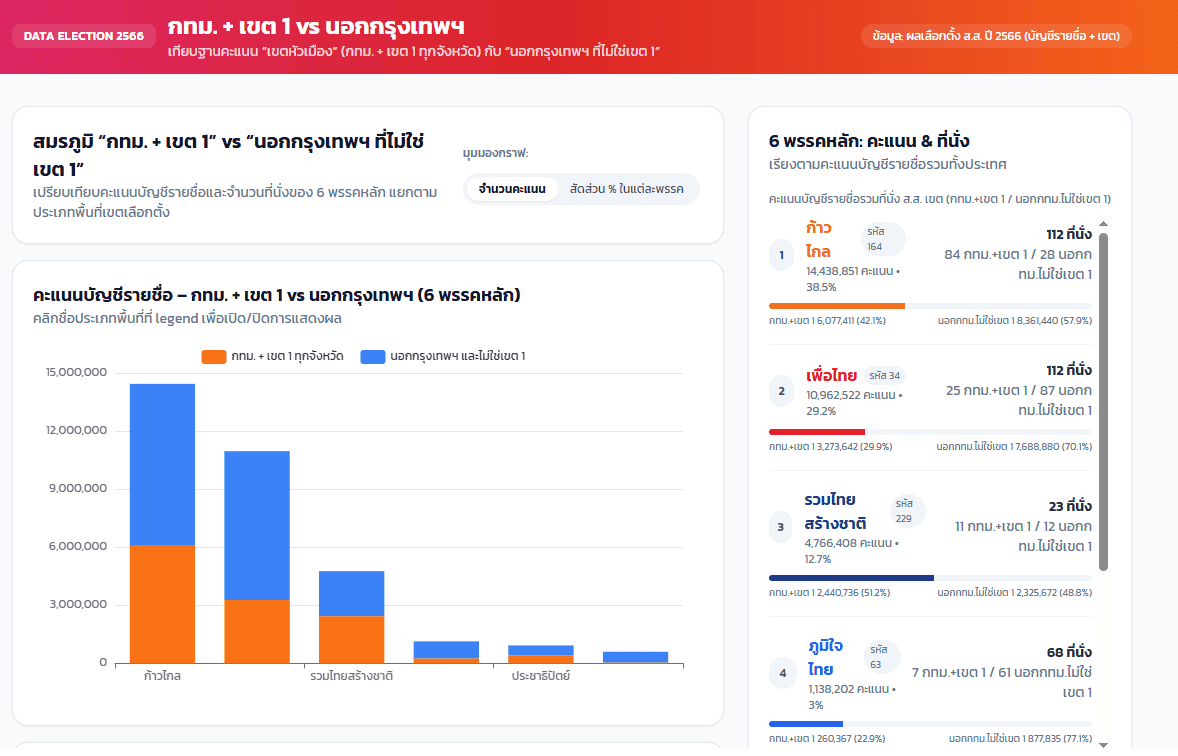
พรรครวมไทยสร้างชาติชนะในกรุงเทพฯ+ต่างจังหวัดเขต1 มากกว่าในต่างจังหวัด
เกินครึ่งของคะแนนบัญชีรายชื่อที่พรรครวมไทยสร้างชาติได้ มาจากคนกรุงเทพ+ต่างจังหวัดเขต1
และที่น่าสนใจคือ คนส่วนใหญ่อาจคิดว่าพรรคเพื่อไทยครองต่างจังหวัด แต่ความเป็นจริงคือ พรรคก้าวไกลได้ 37.4% ในพื้นที่ต่างจังหวัด ส่วนพรรคเพื่อไทยได้ไป 30.2% โดยพรรคก้าวไกลได้อันดับ 1 ทั้งในกรุงเทพและต่างจังหวัด
Infographics: https://app.aerogram.ai/p/efed24af-4474-4141-8938-1dfbb8df0a11
How We Use AI and Aerogram to Create Infographic Generator Workflow
โดยปกติ กระบวนการสร้าง infographics แบบในบทความนี้ จะต้องใช้ทั้งนักข่าวการเมืองที่เข้าใจการเมืองเชิงลึก ทำงานร่วมกับโปรแกรมเมอร์ที่คอยแก้ปัญหา และ Data Analyst ที่คอยหา patterns ของข้อมูล
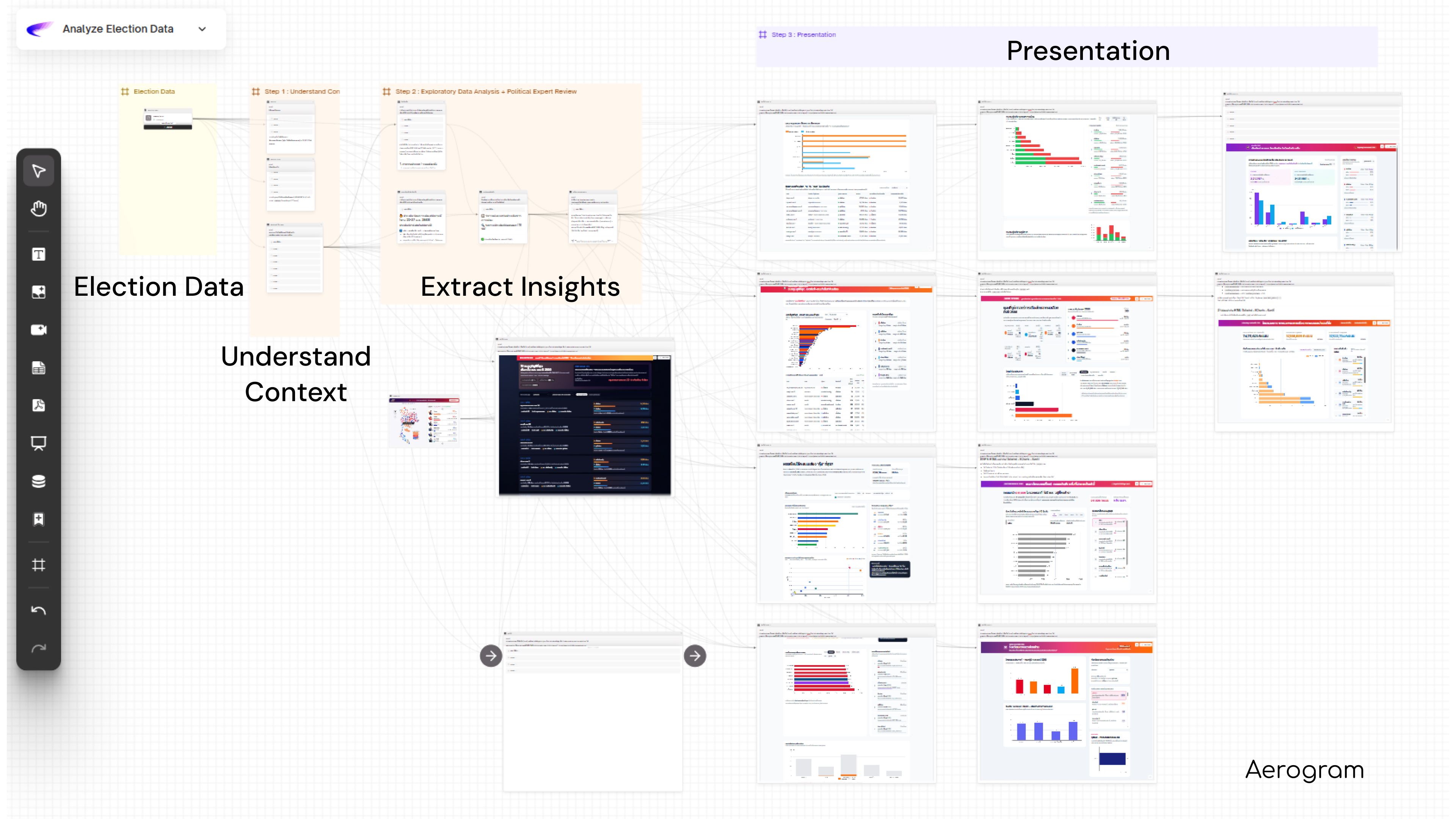
ในรอบนี้ ทีม Cleverse ใช้เครื่องมือที่เราพัฒนาเอง คือ Aerogram เพื่อสร้าง reusable workflow สำหรับวิเคราะห์ ออกแบบ และสร้าง infographics ข้างต้น
AI redesign this traditional process into an AI workflow. And the tool that makes this possible in practice is Aerogram.
Analyzing election data requires a political reporter who understands the narrative, a programmer who can clean the mess, and an data analyst who can find the patterns — all working together as one team with data analysis process.
AI redesign this traditional process into an AI workflow. And the tool that makes this possible in practice is Aerogram.
The Traditional Data Analysis Process
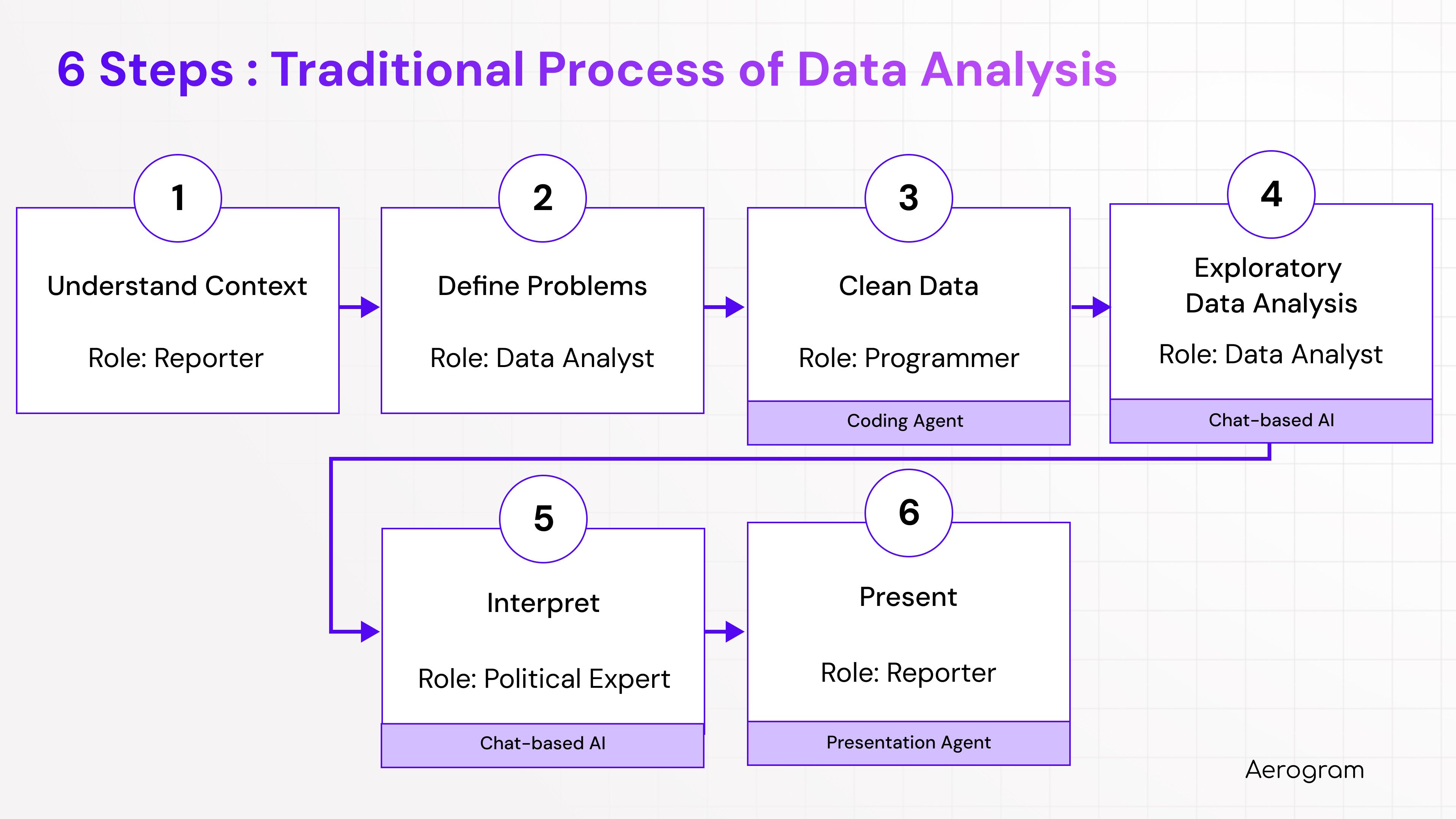
Step 1: Understand Context → Role: Reporter. Identifies the story angle, the key trending topic.
Step 2: Define Problems → Role: Data Analyst. Translates the reporter's needs into analytical questions.
Step 3: Clean Data → Role: Programmer. Spends hours wrangling messy raw data into usable format.
Step 4: Exploratory Data Analysis → Role: Data Analyst. Looks for patterns, generates charts, tests hypotheses.
Step 5: Interpret → Role: Political Expert. Determines what the insight.
Step 6: Present → Role: Reporter. Assembles everything into charts and dashboards for publication.
Six steps. Four roles. Too many handoffs. Too slow for election cycles. And the tools are completely disconnected — data in one place, analysis in another, AI chat conversations disappearing into browser tabs no one can reference later.
Redesign Process with AI Workflow
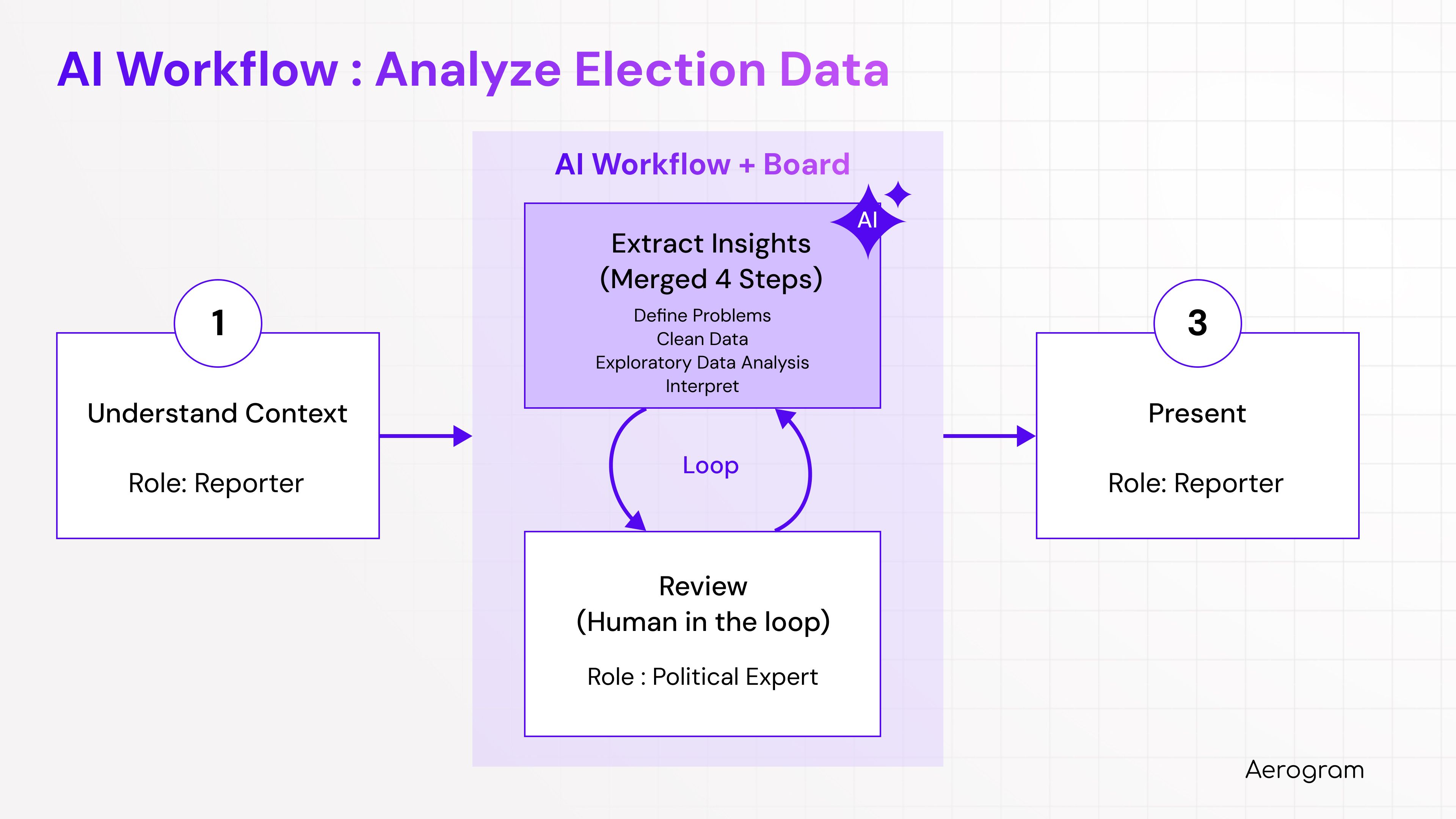
Step 1: Understand Context → Role: Reporter. This stays the same. Human judgment about what's newsworthy is irreplaceable.
Step 2: Define + Clean + Explore + Interpret → Role: Political Expert. Instead of four handoffs across four roles, the reporter works directly with AI that defines questions, cleans data, runs analysis, and interprets results in a single loop. Reporter reviews. AI iterates. Minutes, not weeks.
Step 3: Present → Role: Reporter. An interactive, shareable dashboard generated directly from the analysis.
Three steps instead of six. One loop instead of a relay.
How This Works in Aerogram
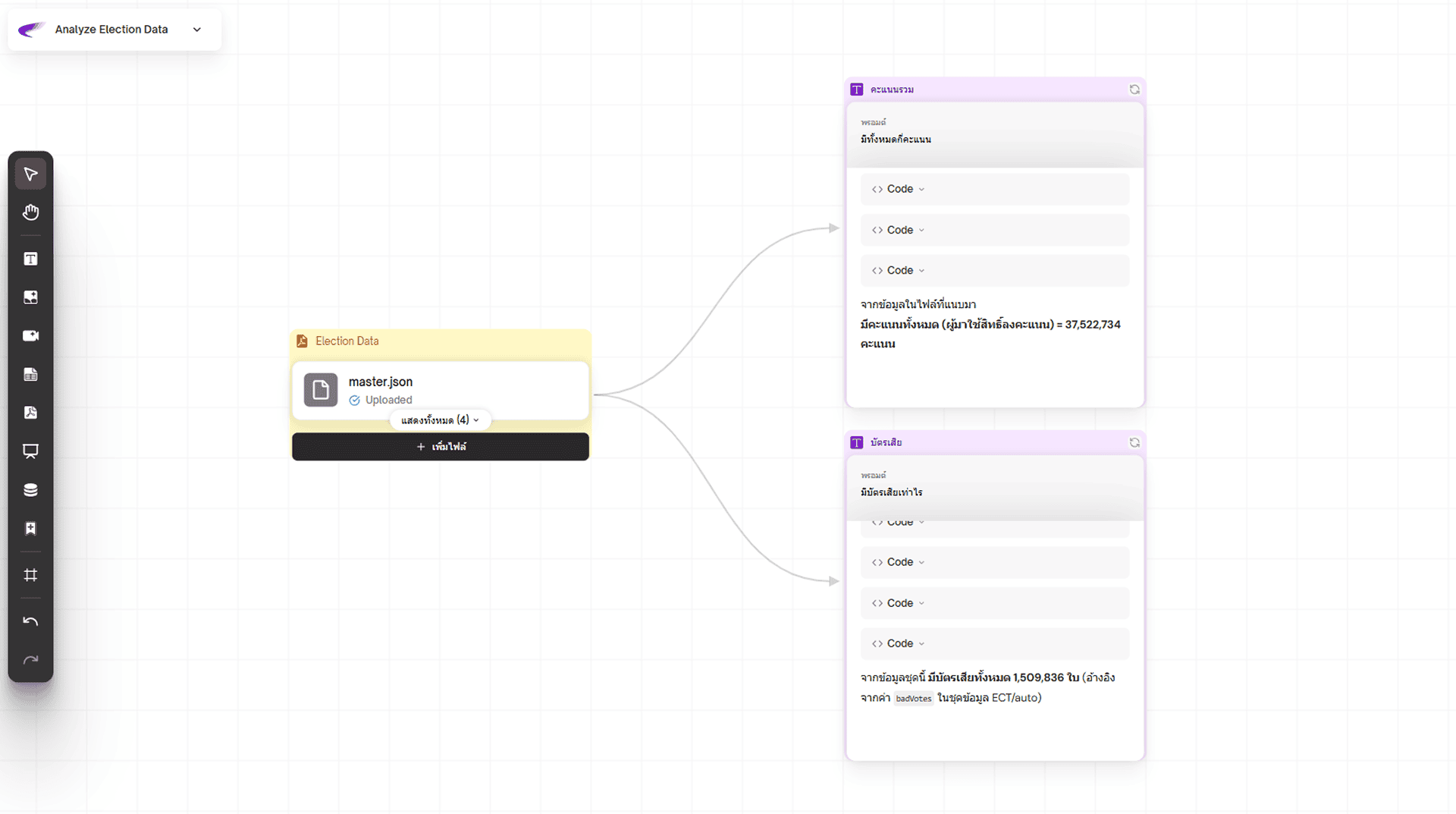
Step 1: Understand Context
Your data lives on persistent cards on the board. No re-uploading. No version confusion. When you need it, drag a connection to whatever analysis you're building. AI immediately runs code to describe the dataset
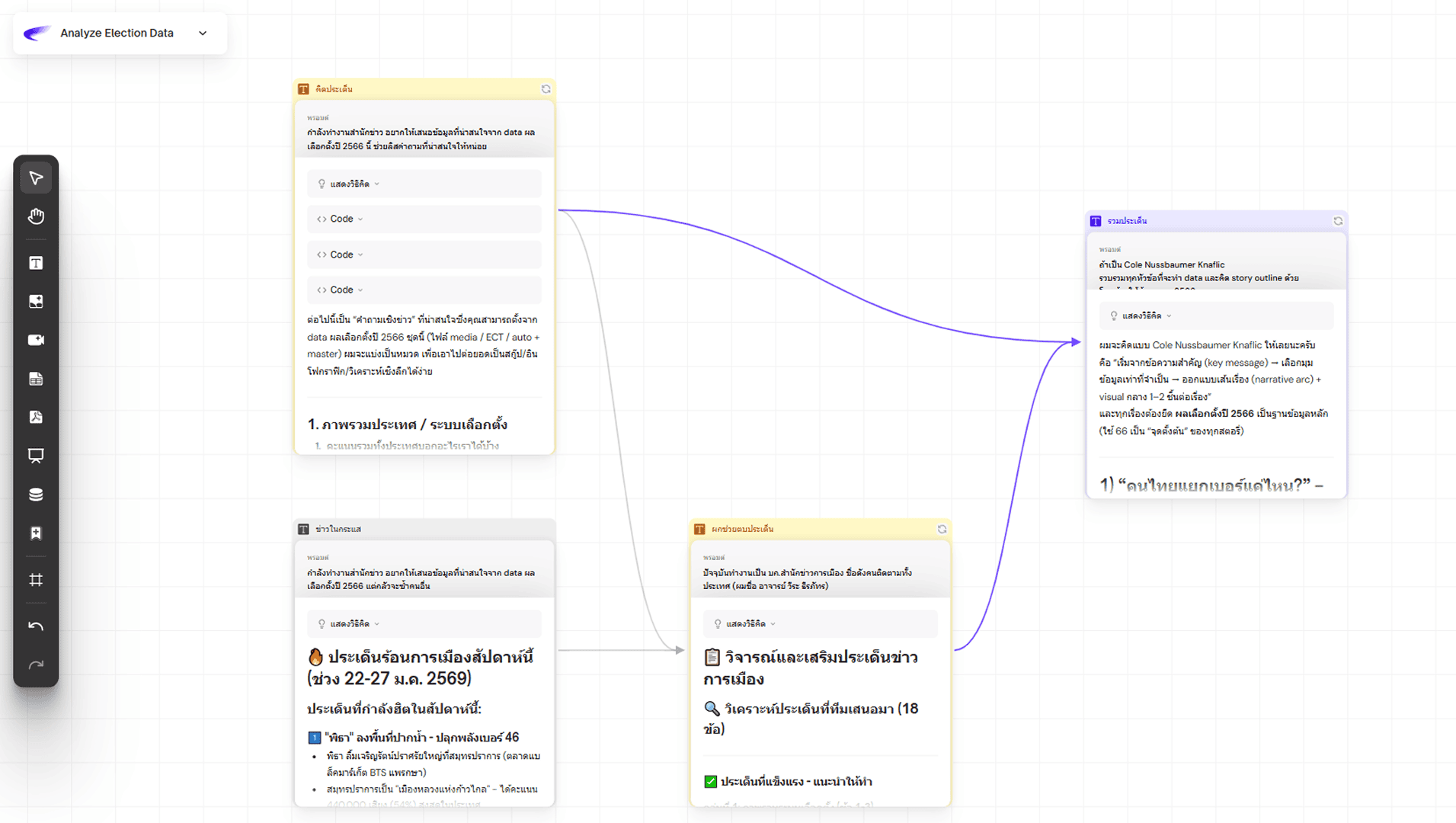
Step 2: Do Four Things in One Step
Create a card to generate analysis ideas. AI proposes analytical angles — turnout patterns, demographic shifts, anomaly detection — defining problems, exploring data, and interpreting findings in a single pass.
Create a second card to critique those ideas. Challenge assumptions. Check for confounding variables.
Merge both cards. The generative thinking and the critical review combine into a refined analysis. The reporter iterates this loop as many times as needed. Each cycle takes minutes.
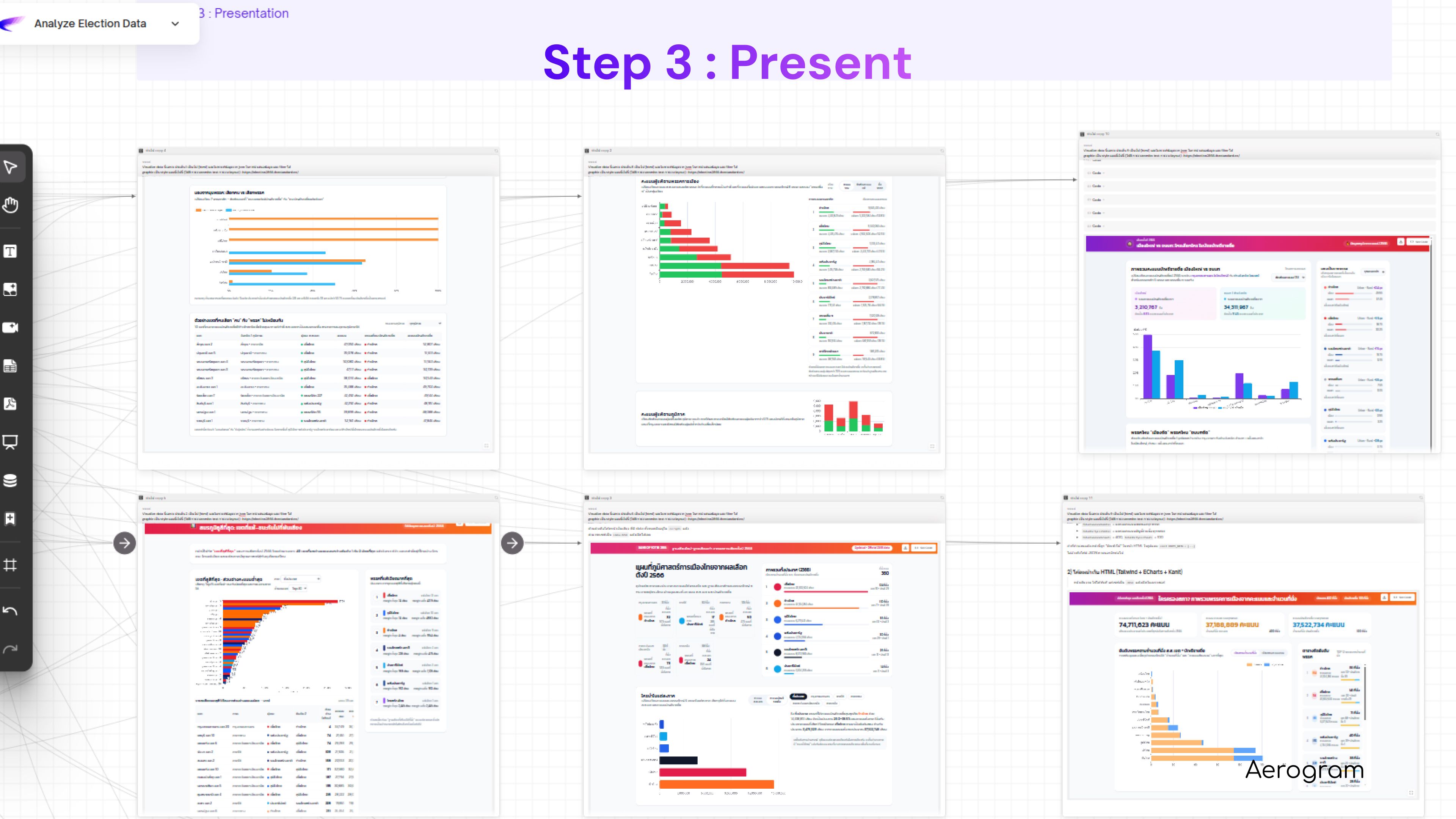
Step 3: Present
The interactive dashboard is generated directly from the workflow on the same board. Shareable via link.
AI Workflow
Why AI Workflow
Redesign the whole process, don't layer AI onto existing process. The old way used AI as an assistant in each roles. Same process, slightly faster. The new way redesigns the process entirely. Four roles compact into one loop. The reporter drives the whole thing. AI handles the technical execution.
The reporter (non-coder) can perform a data analyst task. Once the workflow is built, the reporter operates it directly. No advanced prompting skills. No Python. The AI workflow encodes the methodology — the cleaning data, the analysis, the interpretation.
From individual AI work to a collaborative AI workspace. No more asking ChatGPT, copying the response, pasting into a doc, sharing with a colleague. That's individual AI work — everyone in their own chat window, stitching results together manually. In Aerogram, the data, analysis, critique, and output all live on one board. Everyone works on the same workspace. No lost context. No version control nightmares.
The real transform isn't "AI analyzes data faster." It's that the entire workflow lives in one place, and the people who need the answers can operate it directly.

Aerogram : https://www.aerogram.ai/